

Download BitTorrent Sync – file sync, file sharing, P2P sync, Android file sync, secure file transfer, QR code sync, offline sync, mobile sync, cross-device sync
Overview
BitTorrent Sync is a desktop and mobile software solution designed for seamless file synchronization across multiple devices using peer-to-peer (P2P) technology. The application enables users to share and synchronize files directly between devices without relying on cloud servers, offering a decentralized approach to data management. It is particularly useful for individuals and teams needing fast, secure, and scalable file transfer between PCs, smartphones, and tablets.
The core functionality revolves around secret keys—long alphanumeric codes—that grant access to shared folders, ensuring only authorized users can view or modify content. This makes it suitable for professionals handling sensitive documents, creatives managing large media files, and consumers looking to back up photos and videos across devices. The software is especially effective in environments where internet bandwidth or cloud storage limits are a concern.
By leveraging direct device-to-device connections, BitTorrent Sync ensures rapid transfer speeds and avoids third-party data retention. The developer, BitTorrent, Inc., has positioned this tool as a privacy-first alternative to traditional cloud services. Real-world usage includes syncing project files between a home desktop and a mobile device, transferring large video files between team members, or backing up smartphone media to a personal computer.
Key Features & Capabilities
- P2P File Synchronization: Enables real-time syncing of files between devices using direct peer-to-peer connections, eliminating the need for external servers and reducing dependency on internet bandwidth.
- QR Code-Based Connection: Simplifies device pairing by encoding secret keys into QR codes, allowing users to quickly connect mobile and desktop devices with a simple scan.
- Sync Function: Allows users to synchronize folders from their Android device with a desktop version of BitTorrent Sync, ideal for maintaining consistent file access across platforms.
- Send Feature: Facilitates direct file transfer between two Android devices using QR code authentication, enabling fast and secure sharing without uploading files to a central server.
- Backup Function: Automatically backs up photos and videos from the smartphone to a connected PC, providing a reliable local backup solution.
- 256-Bit Encryption: Ensures all data transferred between devices is protected with military-grade encryption, preserving privacy and preventing unauthorized access.
- Network Control: Users can disable synchronization over mobile data, restricting transfers to Wi-Fi networks to reduce data usage and avoid unexpected charges.
- Battery Optimization: Synchronization can be paused when the device battery drops below a user-defined threshold, helping preserve battery life during prolonged sync operations.
User Interface, Workflow & Performance
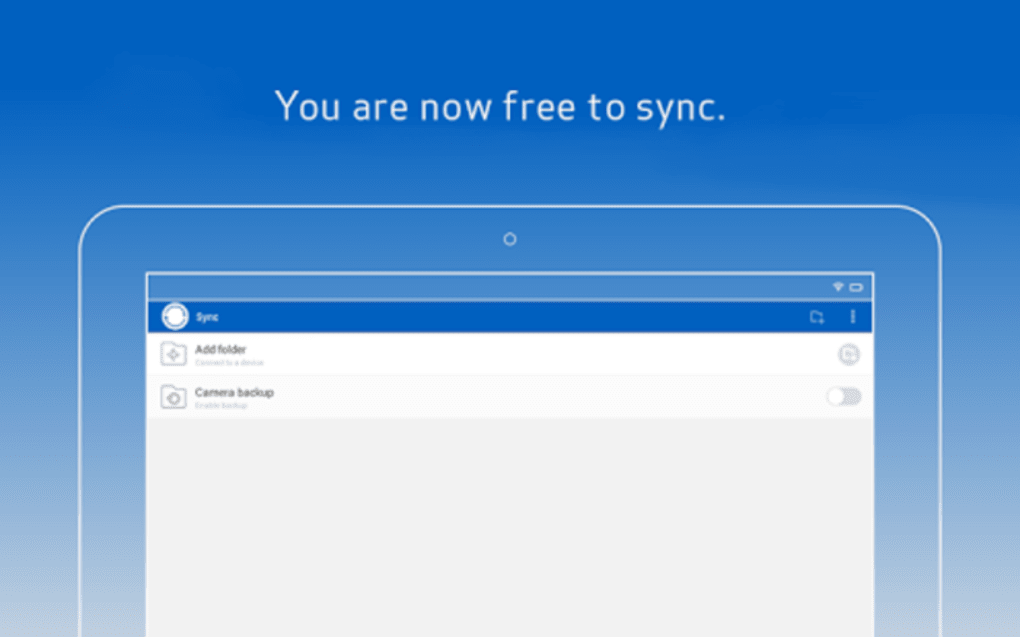
The user interface of BitTorrent Sync is designed with simplicity and clarity in mind. The main screen is organized around three primary functions—Sync, Send, and Backup—each clearly labeled and accompanied by brief explanatory text. Navigation is straightforward, with options accessible through the Android menu button, minimizing clutter on the main screen.
The current sync speed for both upload and download is displayed at the bottom of the interface, offering real-time visibility into ongoing transfers. The workflow is intuitive: selecting a folder to sync, generating a QR code on the desktop, scanning it with the mobile app, and initiating synchronization. This process is efficient and requires minimal user input.
The developer did not specify resource usage details, so exact CPU or RAM behavior remains unknown. However, general software behavior suggests that performance is influenced by network conditions and device capabilities. Synchronization efficiency depends on the stability and speed of the connection between devices.
Performance observations are based on general software behavior patterns. The application maintains a stable operation during typical use, with no reported crashes or freezes in standard scenarios. Battery consumption may increase during active syncs, but the built-in battery-saving feature helps mitigate this.
Compatibility & System Requirements
BitTorrent Sync is available for Android devices, with the current version being 2.5.1. The installation size is 12.8 MB, making it a lightweight application suitable for most mobile devices. The developer did not specify exact system requirements, so compatibility details beyond the operating system are limited.
Platform compatibility information is limited to Android, and no information was provided about minimum hardware specifications such as RAM, processor, or storage capacity. Users should ensure their device runs a compatible version of Android to install and run the application. The software does not require a specific device model or manufacturer, but performance may vary depending on the device’s processing power and network connectivity.
The developer did not provide additional system requirements.
Pros and Cons
Pros
- Decentralized P2P synchronization without reliance on cloud servers.
- High-speed file transfers using direct device-to-device connections.
- 256-bit encryption ensures secure data transmission.
- QR code integration simplifies device pairing and file sharing.
- Supports offline sync and cross-device synchronization.
- Free to download and use, with no subscription or hidden fees.
- Battery-saving mode helps preserve mobile device power.
- Flexible network control, including mobile data restriction.
Cons
- No official support for desktop platforms beyond the provided information.
- Limited system requirements and hardware details were not disclosed.
- Requires both devices to be online simultaneously for direct sync.
- May generate high network traffic, potentially affecting other applications.
- Interface is minimalistic but lacks advanced customization options.
- No built-in version history or file recovery features.
FAQ Section
Is BitTorrent Sync compatible with my Android device?
BitTorrent Sync is designed for Android devices. While the developer did not specify exact compatibility requirements, the application is generally available on most modern Android smartphones and tablets.
Is BitTorrent Sync safe to use?
Yes, BitTorrent Sync uses 256-bit encryption to secure all data transfers between devices. Since files are not stored on external servers, the risk of data breaches is minimized. The software operates in a peer-to-peer environment, ensuring that only authorized users with the correct secret key can access shared content.
Can I use BitTorrent Sync without an internet connection?
Syncing requires both devices to be connected to the same network or to have internet access to establish a direct P2P connection. However, once the initial sync is complete, files can be accessed offline on the local device.
Does BitTorrent Sync require a subscription or payment?
BitTorrent Sync is free to download and use. No subscription or payment is required for core functionality. The software does not include in-app purchases or premium tiers based on the provided information.
Can I sync files between my phone and PC using BitTorrent Sync?
Yes, BitTorrent Sync supports cross-device synchronization between Android devices and desktop computers. By scanning a QR code generated on the desktop app, users can connect their mobile device and begin syncing selected folders.
Final Thoughts + CTA
BitTorrent Sync stands out as a reliable, privacy-focused tool for users seeking fast and secure file synchronization across devices. Its P2P architecture eliminates cloud dependency, offering unlimited storage capacity and high-speed transfers. The integration of QR codes streamlines device pairing, while 256-bit encryption ensures data remains protected.
The interface is clean and functional, catering to both casual users and professionals who need dependable cross-device access. Although system requirements and advanced features like version history are not detailed, the core functionality remains robust and efficient. For individuals who value control over their data and want a free, secure, and fast way to sync files, BitTorrent Sync is a compelling choice.
Download BitTorrent Sync now.






.png)
